The Private Messaging functionality is being enabled this afternoon for you all to use. The message centre can be found by clicking on the MY ACCOUNT button at the top of the site and then on Private Messages. You will also notice that there if you have new messages their is a notification icon to the left of MY ACCOUNT.

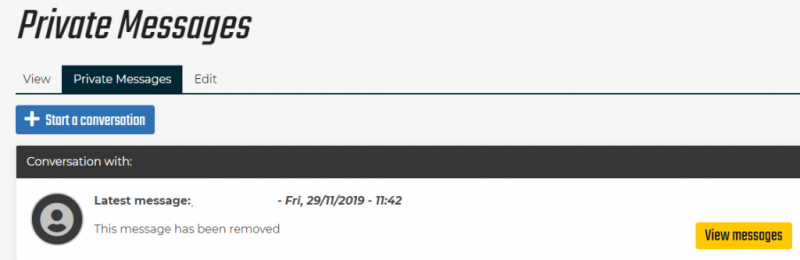
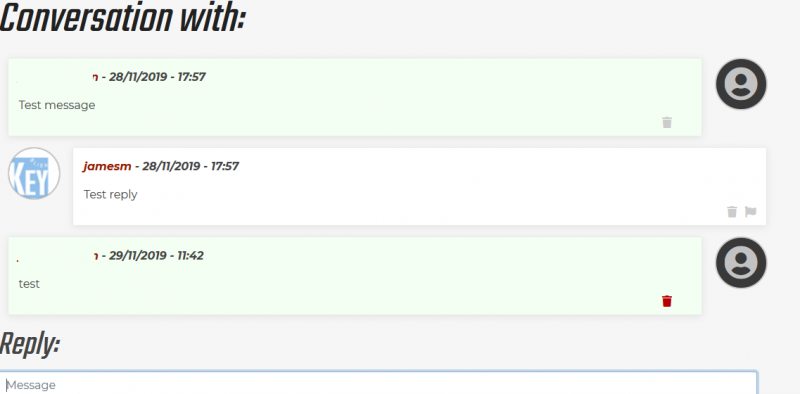
Messages are displayed in a similar style to WhatsApp messages
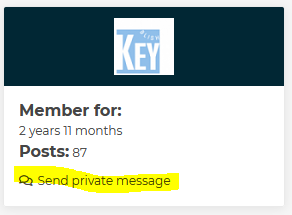
Messages can also be sent directly from a post using the button in the user block:
Group messages are possible by adding multiple recipients


By: BobKat - 30th January 2020 at 18:02
Same problem for me. I have two conversations, the last message in one of which has been read by me. The last message in the other is outward to jamesm. The ‘flag’ shows that I have two unread messages which is clearly not right. I have had no reply from jamesm, but have no means of being certain whether the message has been read or not.
It seems the counter is simply displaying the number of conversations.
By: TerryP - 30th January 2020 at 17:23
When I get a PM I am notified by the “You have 1 unread message” in the My Account block, but even when I’ve read it the message stays. Is there any fix for this or way of cancelling the message, please?

By: Sopwith - 30th November 2019 at 17:07
Have all the old private messages been deleted, i.e. the ones prior to the forum change?
By: l.garey - 30th November 2019 at 16:27
I did a test PM to jamesm and it seems to have worked, but how do I read one from him to me?
While he’s watching, may I say that I was just replying to a post on another thread and had written half my answere when I went to the previous page to check the date and found that this deleted my new post. Not convenient. And not having post numbers makes it hard to reference them.
Laurence
By: aircraftclocks - 30th November 2019 at 02:20
Not very private! all my previous messages have disappeared and have been replaced by “news” items. I guess in time these news items will be considered historic.


 Sign In








 November 29, 2019 at 3:22 pm