Hey All ….
Went to Birmingham Today for a few Hours and was greated by huge dark Clouds!…… Lovely!
Anyway still had a good enjoyable Time there.
Comments very welcome Good or Bad.
EI-EBN
EI-RJG
G-OZBE
A6-ECB
A6-ECB
HB-JVF
PH-KZU (Brand New Fokker 70 For KLM)
G-JECV
G-ODSK
EI-DHO
HB-JVF
D-ABXL
EI-EDP
CS-DRJ
G-FBEC
G-FBEC
EI-EDP
EI-EBB
G-OZBP
OM-ASG (Untitled Air Slovakia)
Thank’s Very much for Looking!
Rob

By: Bristol_Rob - 11th April 2009 at 18:15
Thank’s Tom and Stu
🙂 Rob 🙂
By: JetSet - 10th April 2009 at 23:26
Cracking pics Rob, I love the Monarch on take-off, thats the best for me by far. As for the leaning, some cameras have a grid function which can help with that, so maybe enabling that will help you along.
Thanks Paul as well for the PS tips, I was using sharpness and brightness to edit things slightly, never crossed my mind to use a new adjustment layer and use the midtones.
By: Future Pilot - 10th April 2009 at 22:30
Great selection from my hometown local :D, nice to see the new International Pier coming along nicely aswell :).
By: Bristol_Rob - 10th April 2009 at 19:49
Thank’s very Much Lynda
And might i say its nice to have a woman On board 🙂 🙂
Rob
🙂 x
By: Lindylou - 9th April 2009 at 19:46
Aha some from My Local Airport
No Thomson’s Hmmm Must all be up up and away Lol
Really Really Nice set Hun
Lynda
By: Bristol_Rob - 7th April 2009 at 16:26
Thank’s for that detail tutorial Paul
99.5% of all my photos were dark and dull and just didnt know how to give them a kick up the butt.
All i could do with my knowledge is to just sort the Levels out.
Looking back i can also see quite a few not levelled and over sharpened.
Ive still got the originals so will try and work on them again.
Thank you Paul and Rich Much Appreciated 🙂
By: RichardC - 7th April 2009 at 15:27
Great pics Rob. 🙂
By: PMN - 7th April 2009 at 15:19
Nice work, Rob! Good to see you being more selective with regard to sharpness. Several of these are slightly oversharpened but this is generally the sharpest post I think you’ve made. Just a couple of things to look out for though:
Firstly, levelling. Look for vertical references in your shot and check them against the edge of the frame. Things like lamp posts should be absolutely straight, not leaning. In the shot of D-ABXL, the building behind has a very distinct lean to the right. It’s very easy to use such verticals to level your image.
Secondly, brightness. Be aware not to make your photos too dark. In this one, the darks swamp the image somewhat and lead to a generally quite dull shot:
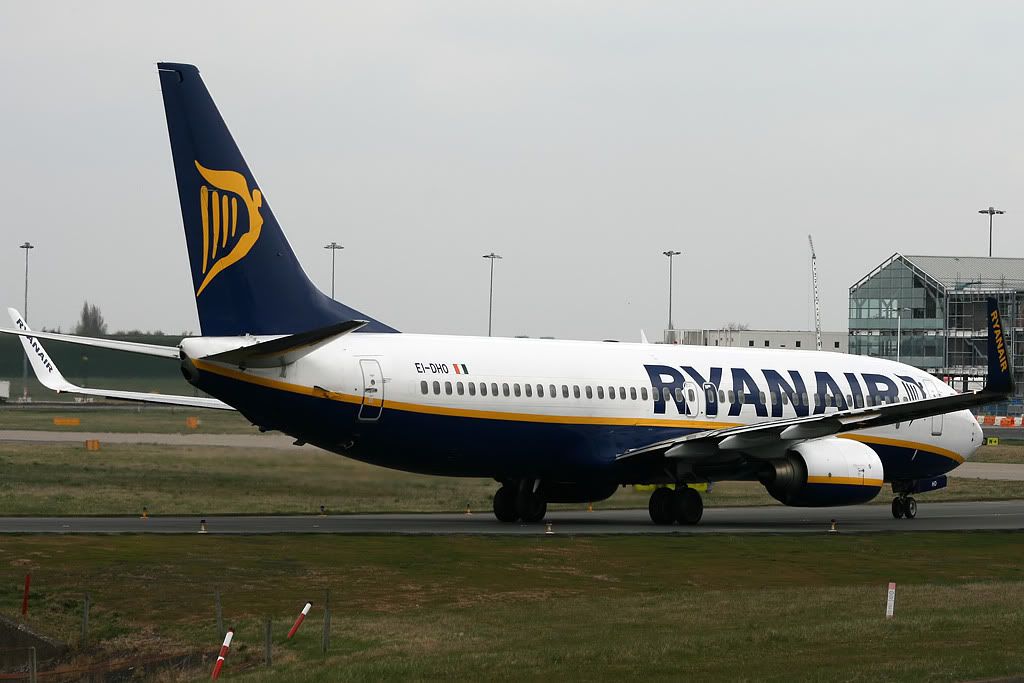
By opening the image in Photoshop and moving the mid tones from 1.00 to 1.54, we get this:
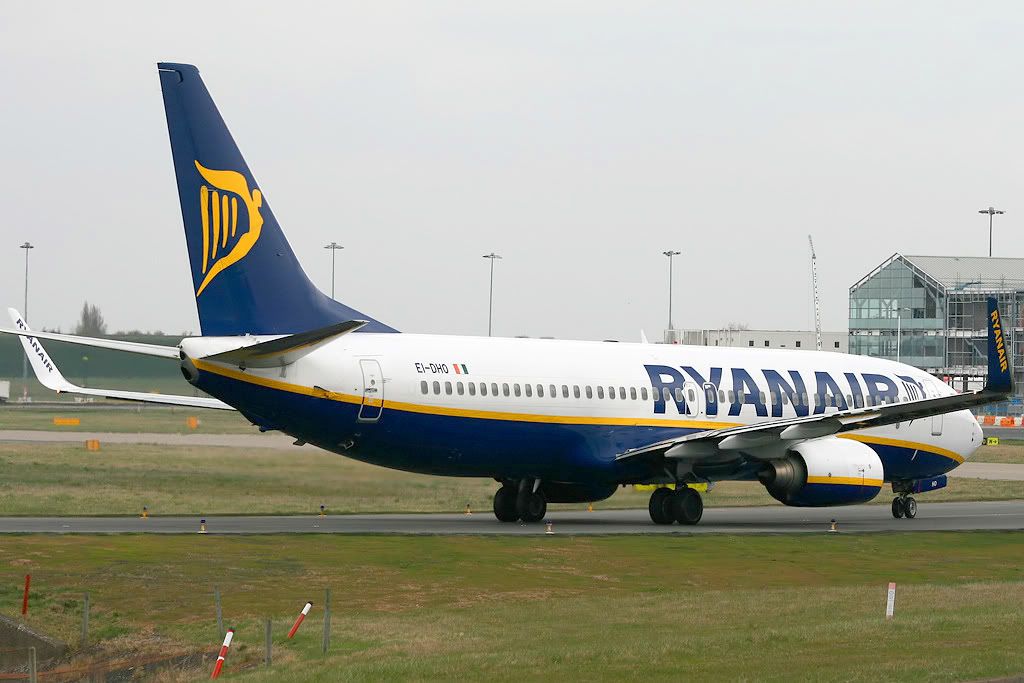
It’s much brighter and more balanced. Brightening made it look somewhat washed out though, so I added +30 saturation to compensate. You shouldn’t need to do anything that extreme editing from the original, but try get into the habit of shifting the mid tones if the shot needs it while still try ensuring the information in the histogram touches both the left and right sides of the graph (and make sure your histogram is set to ‘luminosity’).
Just as a quick note as well, you can see in that example the posts lean to the right. They should be used as your reference for levelling.
Hope that helps. 🙂
Paul


 Sign In








 April 7, 2009 at 1:49 pm