
By: PMN - 15th July 2008 at 16:42
This is a small tutorial I wrote for the aviation photography website I’m involved with. Hopefully it might be of some use. 🙂
http://www.photos.aero/forum/viewtopic.php?f=14&t=398
Paul
By: RobAnt - 15th July 2008 at 11:28
I go about it in different ways for different needs.
Always keep the originals untouched – so that you can revisit it later as your needs change.
For Windows desktop wallpaper I do the following:
Check whether the image needs rotating. If it does then I use VERTICAL references, such as lamposts and church spires or the sides of builds to ensure the image is level. You can’t rely on any horizontal references – the ground may undulate on airfields in particular.
Using photo manipulation software (I use PS Pro, but Photoshop is just as good) I crop the image, again in the vertical plane only (making the image tall and narrower) putting the subject left, center or right (rule of thirds) by dragging the hightlighted area left and right over the image. Taking care to ensure that the width of the image is still greater than 1920 pixels wide.
Once the image has been cropped I resize in the width only to 1920 pixels, retaining the relative aspect ratio – this ensures that I won’t get odd looking pictures once I crop in the vertical domain.
And indeed, that is what I do next. I set the crop tool to 1920 pixels wide, but only 1080 pixels deep. You can then drag the outlined area up and down to place the subject in the top, middle or right, as required.
Doing it like this allows you to place the subject anywhere in the frame you like for compositional purposes. Although some compromise may have to be made based on the subject’s positioning in the original image.
I will then save the finished image (although I may do some further processing to enhance the image) in a directory set aside for edited images, taking care not to over write the original.
If I need an image for the Internet (such as posting here, or on my own website) I will use this cropped image as a basis for that purpose. Usually, 1920×1080 works out as 800×480 and a simple resize is all that is needed (plus a little extra sharpening). But sometimes I might re-compose the image to close in on the subject a little more.
Hope this helps.
Pre cropped image
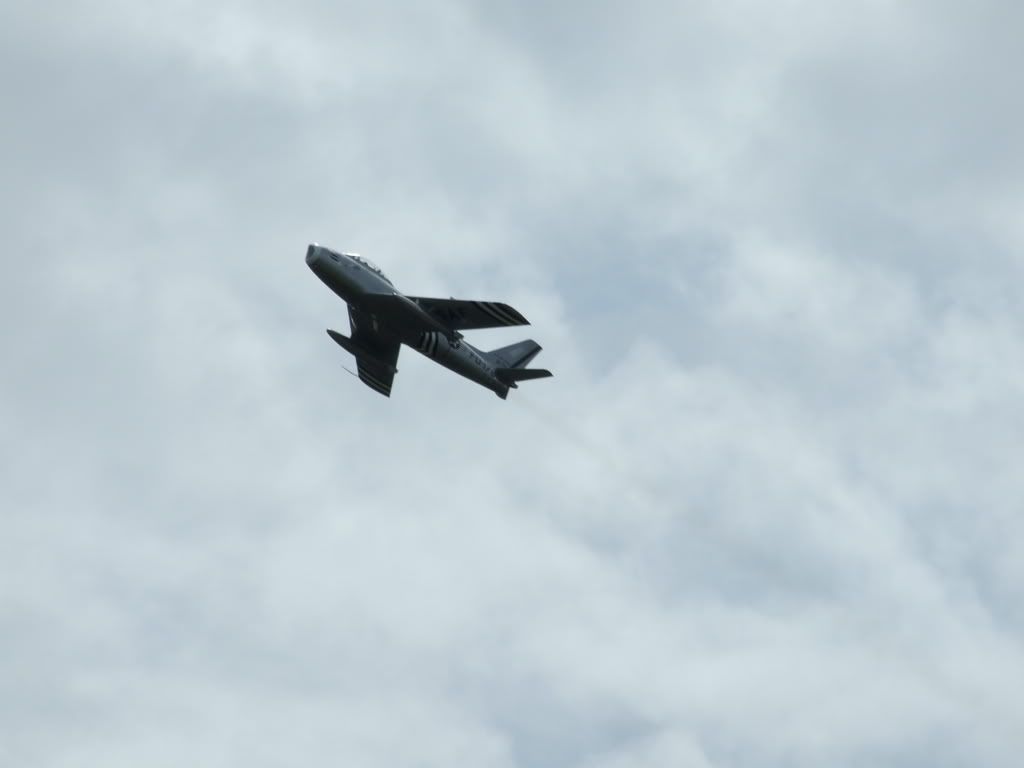
Post cropped image

By: R1chard - 29th June 2008 at 22:31
Thanks for those Fantastic tips Guys, Much appreciated 🙂 🙂
By: old shape - 29th June 2008 at 18:09
Hi Richard.
Others might do different, but the way i crop images is as follows,
Set crop size to 15x10in @ 300ppi, this is the largest print i am likely to have done.
Try to crop the image so the plane has a little room to “fly” into.
Crop static shots so the horizon is horizontal, obvious, i know but easily overlooked.
Once saved, if the image is going to be put on a website, go to image dimensions and change the size by the ppi, i generally use 750 or 800 wide, then apply and save for web. This means the picture will be viewed at actual pixels.
You may well be doing all this already, so sorry if ive gone over old ground.
Dean:)
As above, but cropping is artistic as well as functional. As for re-sizing, there are two methods I use. “Save for Web” in Photoshop, in which case I ensure that the longest side is 500 pixels. Any wider and it does not fit a standard screen leaving viewer having to side scroll (Which is most annoying!!)
Also, there is a free download from Microsoft official website called “Image resizer” and that is simple…just right click on the file in browser, select the resize you want (It has about 5 choices) and it saves another file with same name but “Copy” on the end of it.
I personally don’t load high quality images to the web, they take too long to load and also people steal them.
By: dean f - 29th June 2008 at 17:56
Hi Richard.
Others might do different, but the way i crop images is as follows,
Set crop size to 15x10in @ 300ppi, this is the largest print i am likely to have done.
Try to crop the image so the plane has a little room to “fly” into.
Crop static shots so the horizon is horizontal, obvious, i know but easily overlooked.
Once saved, if the image is going to be put on a website, go to image dimensions and change the size by the ppi, i generally use 750 or 800 wide, then apply and save for web. This means the picture will be viewed at actual pixels.
You may well be doing all this already, so sorry if ive gone over old ground.
Dean:)


 Sign In








 June 29, 2008 at 1:35 pm