I know this has probably been asked countless times before, but…..
I have just invested in a Nikon DSLR and a 55-300mm f/4.5-5.6 zoom lens.
Not exactly top of the range, but I was on a tight budget 🙂
Trying to eliminate too much trial and error, I would like a rough idea of what setting to start on, in taking
pictures of aircraft with a bright sky behind them ? ISO for example. Also what is the maximum speed to avoid static
props.
Thanks

By: AlanR - 22nd June 2014 at 09:02
The one annoying thing I find with the D3300, and I guess applies to all DSLRs ?
When taking videos, because the mirror has flipped, you can’t see through the viewfinder. Unless you have a camera
with an electronic viewfinder, as with bridge cameras.
It’s not easy to smoothly track a moving object in bright sunlight, using the back screen. I was thinking of making up a crude viewfinder which would clip into the flash hot shoe. The only problem then would be, zooming in and out. I shall experiment.
I cant justify buying a camcorder.
By: Axel-edwards - 24th May 2014 at 22:26
for aircraft with props the higher the shutter speed the less blur to you want to be as low as possible, I tend to use a 1/250th shutter with between f4 and f10 if possible and as lower iso as possible max I use is 400 for aircraft
By: AlanR - 24th May 2014 at 18:58
Thanks, these camera settings are slowly coming back to me. 🙂
I was just going by the prop blur as regards shutter speed.
“…(which on my cropped sensor works out to about 445mm) …” explain please.
As an experiment, I took a picture of a cloud earlier to see what difference a polarizing filter made.
It was taken at around 6:15pm, so the light wasn’t great. It doesn’t prove anything other than to
show the filter can darken the sky. It might give more impressive and dramatic results on a landscape,
picture with sunshine in the foreground.
Both taken on Auto setting
Without filter
With filter, rotated for maximum effect.
By: Denis - 24th May 2014 at 17:49
it must have been taken using a relatively slow speed ?
I have just looked at the basic exif info in the RAW files for that image.
Shot at f16 with a shutter speed of 1/250th sec and ISO set at 200. focus mode was AF-C, AF area mode- Dynamic,focal length 300mm (which on my cropped sensor works out to about 445mm)
By: Derekf - 24th May 2014 at 14:56
I would generally put a skylight filter on to protect the lens. A lens may be unaffected by damage but the price when you come to sell it definitely will be. A filter helps keeps the front element clean and in the event of an accident, I’d rather replace a £20 filter than a £500 lens.
I haven’t used a polarizing filter for years – not since I shot monochrome film
By: AlanR - 24th May 2014 at 14:24
Personally i use a skylight filter to protect my lenses BUT there is a chain of thought that lenses don’t really need that much protection.I did see a web page where this guy debunks the myth of needing a lens filter as he progressed to tape over the front of a lens then chip bits off but it didn’t register the damage on the photo.I wish i could find it now.
Not something I think I would try.
Although as I mentioned previously, a polarizing filter is handy for taking pictures into water or through glass
I shall have to experiment with sky and cloud shots.
Thanks for the link Charlie.
By: trumper - 24th May 2014 at 14:12
Personally i use a skylight filter to protect my lenses BUT there is a chain of thought that lenses don’t really need that much protection.I did see a web page where this guy debunks the myth of needing a lens filter as he progressed to tape over the front of a lens then chip bits off but it didn’t register the damage on the photo.I wish i could find it now.
By: charliehunt - 24th May 2014 at 13:31
Alan, I got good advice from PaulF when I asked the same question somewhile ago…..http://forum.keypublishing.com/showthread.php?124276-Which-Filter
By: AlanR - 24th May 2014 at 10:09
That’s a lovely picture Denis, considering that it must have been taken using a relatively slow speed ?
I’ve not tried RAW yet, although I have seen it demonstrated using Photoshop, by Nik Szymanek at our Astronomy club.
He is an absolute wizard at processing astronomical images.
He recommended (I seem to remember), saving the images at Tiffs at each stage of the process. ?
I shall have a go.
What do you and others think about the use of filters ?
Going back to my 35mm days, it was the norm to use a UV filter to protect the lens if nothing else.
On my SX40 I also made a lot of use of a polarizing filter, as I took a lot of pictures in museums of items in glass cases.
Will either enhance cloud patterns in the sky to any extent ? According to the blurb they will, but in practice ?
By: Denis - 23rd May 2014 at 20:36
Shoot in RAW format and use Nikons ViewNX software that came with the camera to process. You will be pleasantly surprised at the results.
This was shot using the 70-300 lens, taken in RAW format (.NEF is Nikons version of RAW) processed with ViewNX and converted to .jpg
[ATTACH=CONFIG]228574[/ATTACH]
By: AlanR - 23rd May 2014 at 09:41
Thanks Paul.
I’m not trying to compete with those who are using thousands of pound worth of camera equipment,
but as long as I am happy with the results, that’s all that matters really.
I’ve now given my SX40 to my wife to use.
By: Paul F - 23rd May 2014 at 09:23
I suppose that’s the beauty of digital photography.
Yep, mistakes cost you nothing, and with the ability to delete poorer images ‘on the fly’ if necessary you are less likely to run out of “film” too ;).
The photo of SM845 looks pretty good to me, well done Alan.
Paul F
By: AlanR - 23rd May 2014 at 09:14
Thanks for the comment Derek. One of the mistakes I made, and which I was aware of (but forgot).
Was that with the camera set to take multiple exposures, it doesn’t focus between shots. Not that it’s too
important when something is flying past left to right.
As said before, there is so much to consider. Do you want prop blur, some contrast in the clouds etc ?
I’ve played around with this picture. Cropped it a bit more, sharpened it a touch, and lightened the shadows.
Original picture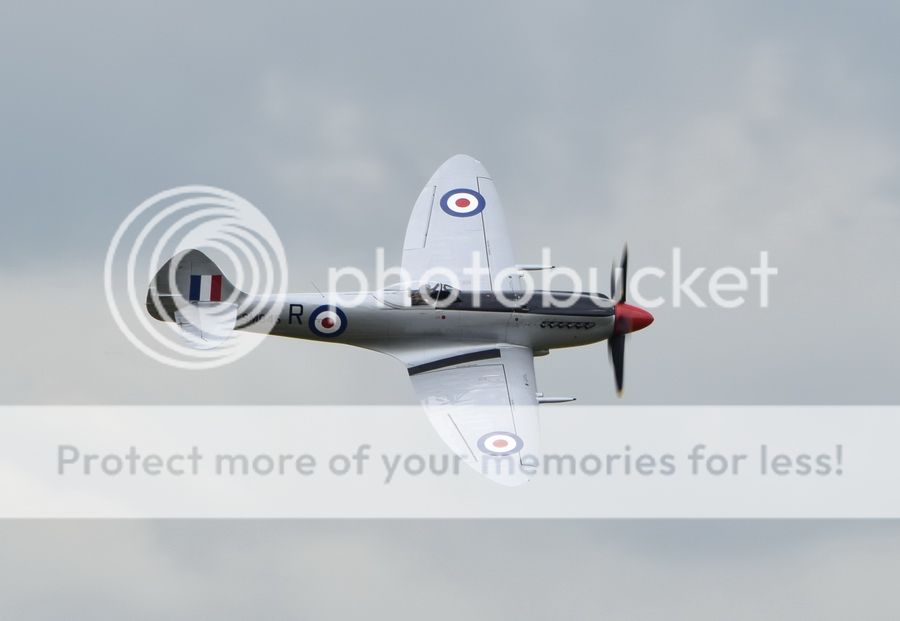
Modified picture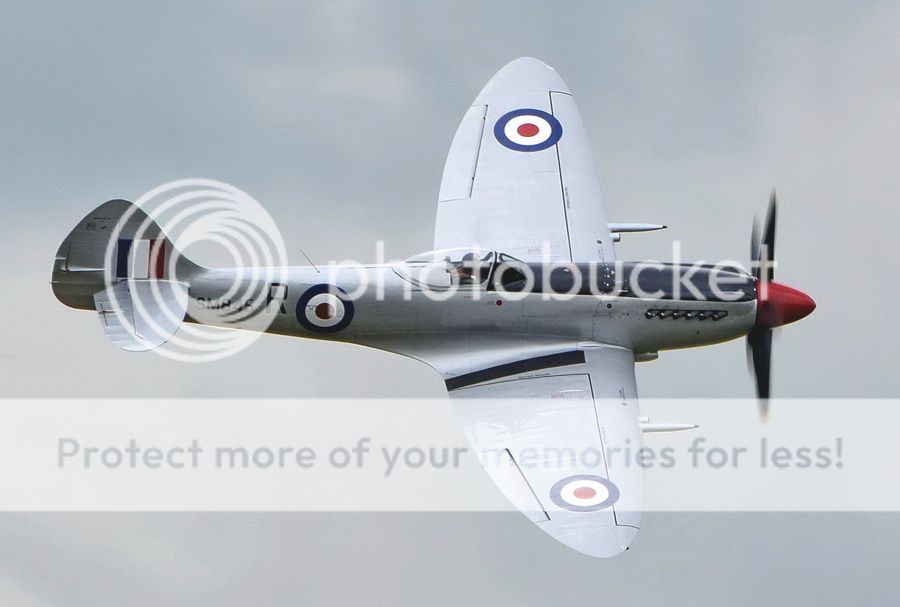
I took around 300 pictures during the time we were there, and will probably scrap 75% of them.
I suppose that’s the beauty of digital photography.
By: Derekf - 23rd May 2014 at 08:30
They’re not too shabby at all Alan. Looks like you’ve nailed the exposure. A tiny bit of post processing is all that’s required; levelling the picture, boosting the contrast on that last Spitfire shot and a wee bit of cropping here and there and they would be as good as any others on here.
Doesn’t do any harm to be self critical though.
By: AlanR - 22nd May 2014 at 17:46
We went to Duxford today. The weather wasn’t too bad, and at least it stayed dry up until we left, at just after 2pm.
Overall I was a little disappointed with the quality of my pictures, those of aircraft in the air anyway.
None seemed particularly sharp. Maybe I should have just opted for a faster speed and accepted static props ?
I’ll put a few of the best ones on the Duxford Diary thread, a little later.
I have now uploaded a few, and would appreciated any comments, good or bad. 🙂
By: Paul F - 22nd May 2014 at 09:42
A couple of things from Paul F’s post.
Never rely on being able to post-process errors. It is much easier to get it right in the camera.
Derekf – Indeed, hence my comment that “post production option is always a last resort“….. but, should Alan end up with a few “silhouettes” because he had chosen incorrect settings, or because the camera’s algorithm hasn’t got things quite right, then post-production might help recover a tolerable image from what at first glance looks to be a “failure”.
For those that get settings spot on every time then post-production may never be necessary, personally I am not that fortunate/able.
Paulf
By: Moggy C - 22nd May 2014 at 07:27
You are welcome.
Although this forum isn’t overactive there’s some good stuff here. If you can only see the one thread it’s because the default setting hide everything before a set date.
You can change this below.
Moggy
By: AlanR - 21st May 2014 at 17:23
Thanks again everyone for the help and the links
I’ve also found a couple of very useful videos on Youtube,
Thanks also to Moggy for moving the posts to this thread. I didn’t even know it existed 🙂
By: trumper - 21st May 2014 at 17:02
As Derek says ,get it right in camera first,post processing is there as a back up to save something if you get it wrong.Getting it wrong at an airshow will happen because the light changes almost constantly.
Sounds like your Nikon is the same as Canon for the crop factor of 1.6 ,it basically means that your lenses will be slightly more telephoto and you will lose the wide angle field of view .
The other system you get is Full Frame which gives you the whole spectrum of view.
I personally use Canon,just always have and i have the lenses to fit but they have a users forum ,this may be the Nikon version
http://www.nikonians.org/
http://nikonites.com/#axzz32MmQaXHd
http://www.fredmiranda.com/
Most of all have fun and stop worrying 🙂
By: Derekf - 21st May 2014 at 16:22
A couple of things from Paul F’s post.
Never rely on being able to post-process errors. It is much easier to get it right in the camera.
Never rely on spot metering either unless you understand the consequences. Leave it on evaluative and let the camera sort it out.


 Sign In








 May 20, 2014 at 7:23 pm