Hi all,
This topic seems to pop up every so often (such as twice today for me) on how to use the ILS so I’m going to do a small tutorial! Here are some steps you should follow to use the ILS for landing, for this example I’ve took off from Birmingham to land back at Birmingham with an ILS approach to runway 33.
1. Right if you have an IFR flight plan when your approaching your destination airport ATC will give you approach instructions and tell you which runway you’ve been assigned as shown below.
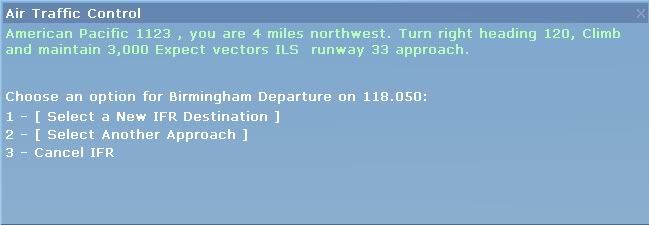
2. Next step is to find out what the ILS frequency is for Runway 33, to do this first press the Alt button on your keyboard and then click World.
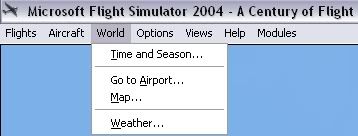
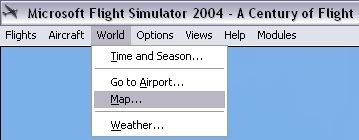
And scroll down to Map.
3. Now you’ll get a display like the one below.
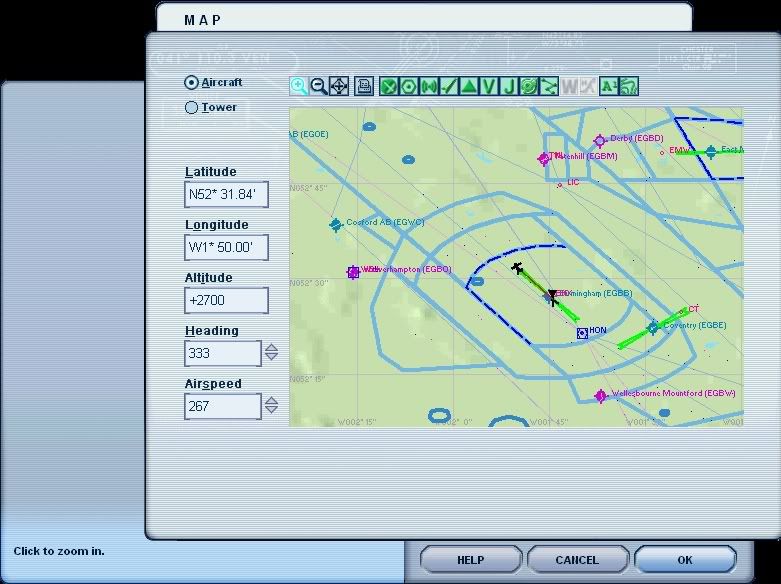
Move your cursor/arrow over the +/- symbols at the top to zoom in and out and move the cursor to the edge of the map to move left/right/up/down.
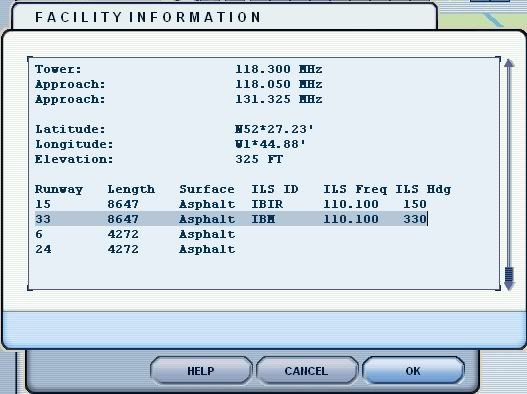
Now if you double click on Birmingham (EGBB) you’ll get a box like the one below pop up, scroll down if need be and you can clearly see there all the information needed for Runway 33 including the ILS frequency.
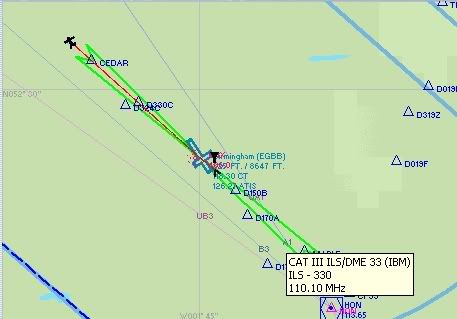
You can also get this information quicker by ‘hovering’ your mouse over the green ILS feather and it will give you the ILS frequency also.
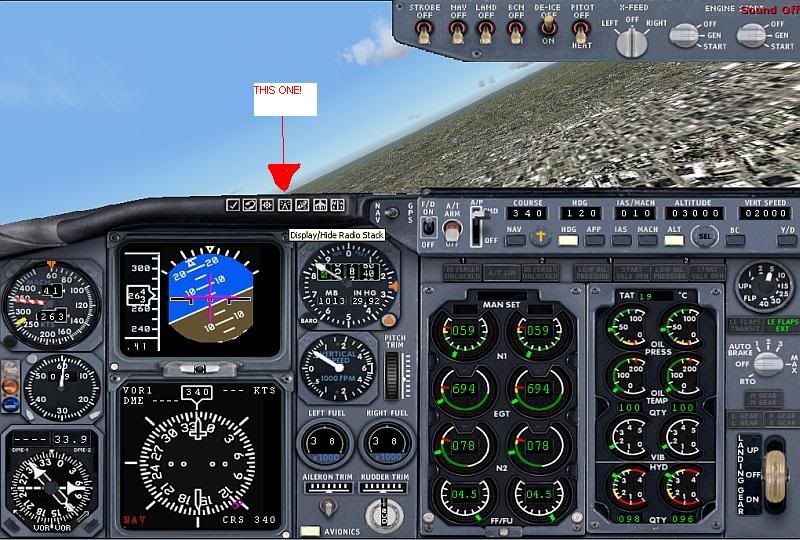
7. Right now you’ve got the frequency noted down as 110.10 you’ll need to put it into your NAV1 radio. Firstly you’ll have to bring up your Radio Stack, you can do this by clicking on the icon on your aircraft panel.
Right now you’ll get your Radio Stack come up like below.
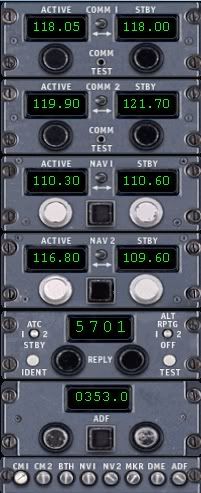
To change the frequency all you have to do is move your cursor over the STBY frequency in the NAV1 section and change it to 110.10.
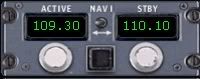
Then click the small arrow thing in the middle to switch that frequency to the ACTIVE side, once that’s you have to click the button on the bottom of the radio stack to activate the NAV1 radio. See below.

Right that’s that done you can get rid of the radio stack, now just follow ATC’s directions untill they tell you to intercept the ILS in a box that should look like this.
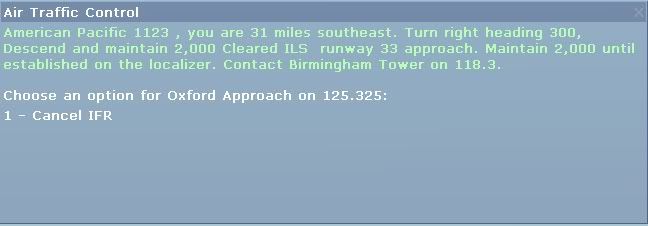
Obviously obey the instructions and then you have to click the APP button on the panel which is located on the Autopilot section.

Right now all you have to do is wait for your aircraft to intercept the ILS and when it does it’ll have a mind of it’s own and make a turn towards the runway, all you obviously have to do is manage the speed/flaps etc etc you’ll soon see the Altitude button on the Autopilot panel switch off and the aircraft will gently glide down to the runway.
Assuming your controlling everything else like the speed and whatnot!
Right I think that’s it, I’ve gone through the process I use for the ILS and I’ve explained every part of it so I hope you don’t find it too complicated to follow and one last thing…
Happy landings! 😀
Tom

By: LBA-EGNM - 29th April 2006 at 01:42
Just saying ive used the ILS properly now due to the short tutorial and it works a treat:) thanks.
By: CWBalmer - 27th April 2006 at 19:26
I am almost there with all of the requested stuff above chaps – should have it posted over the weekend ok?
By: Deano - 24th April 2006 at 07:39
I only know of a couple of NDB approaches in Australia Paul, I don’t know of any non-precisions here in the UK at all, but I guess it’s useful for these guys no flight sim “just incase” 😀
Dean
By: Paul Rix - 24th April 2006 at 01:46
We still fly NDB approaches ?? 🙂 I haven’t flown an NDB approach since my Instrument training. GPS approaches should be included though.
By: Deano - 23rd April 2006 at 23:43
Deano, you’ve picked this thread up well, i sense an ATPL in the process?
Perhaps you could reflect your knowlege on the guys a bit more, why don’t we all (who feel confident) put together and make a document for
1. ILS approaches
2. VOR/DME approaches
3. ILS/DME approaches
4. NDB/DME approches
5. Maybe even an SRA (Surveillence Radar Approach) (controller needed)May take a while but would be great dont you think?
Ben
**Just seen your signature Deano** Ignore my first sentence.
Yep should be good, I’ll see what Chris comes up with and then add more techie detail if it’s needed, I’m on the last batch of ATPL exams for 3 weeks now so won’t be that active to do it until these are over.
By: concordesst - 23rd April 2006 at 21:06
legend
By: CWBalmer - 23rd April 2006 at 17:08
I have some stuff like this already – gimme a day or so to get it posted ok?
By: concordesst - 23rd April 2006 at 13:17
Deano, you’ve picked this thread up well, i sense an ATPL in the process?
Perhaps you could reflect your knowlege on the guys a bit more, why don’t we all (who feel confident) put together and make a document for
1. ILS approaches
2. VOR/DME approaches
3. ILS/DME approaches
4. NDB/DME approches
5. Maybe even an SRA (Surveillence Radar Approach) (controller needed)
May take a while but would be great dont you think?
Ben
**Just seen your signature Deano** Ignore my first sentence.
By: Deano - 23rd April 2006 at 05:47
PFD = Primary Flight Display
HSI = Horizontal Situation Indicator
NDB = Non Directional Beacon
VOR = Very high frequency omni-directional range
DME = Distance Measuring Equipment, usually coupled with VORs & ILS’s
ndb & vor are navigational aids, I’ll elaborate more when I get back from work, GRRRR I’m gonna be late already lol
By: ollieholmes - 23rd April 2006 at 02:53
Whats pfd, hsi, NDBs, VORs and dme Deano?
By: Future Pilot - 22nd April 2006 at 18:07
Glad to hear me tutorial was of help :D.
By: philgatwick05 - 21st April 2006 at 20:55
I’ve just flown a quick test flight following this – and it worked perfectly – my best landing ever!!! Cheers everyone!
By: Deano - 21st April 2006 at 11:49
The ILS or I nstrument L anding S ystem is a precision approach system that will guide the aircraft down a path vertically & laterally to the threshold for landing, the way it works is fairly complex and I’ll attempt to type it out if you really want to know but basically it uses 2 radio beams in the VHF band for the Localiser (centreline) and 2 radio beams in the UHF band for the Glideslope (descent profile), the instrument in the cockpit can pick up where the aircraft is in relation to the frequency overlap of each of the LLZ & GS beams and display it on the PFD & HSI, the ILS can be flown manually or automatically dependant on how confident you feel but will generally be flown manually once visual contact with the runway has been made and can be maintained.
There are also approaches called Non-Precision Approaches which uses NDBs & VORs coupled with a descent profile on a chart based on DME, this HAS to be flown manually.
Dean
By: CWBalmer - 21st April 2006 at 11:39
Instrument Landing System – it allows aircraft to land in a fully or semi automatic manner using a combination of NAV radios, and other instruments… great for crappy weather conditions where there is low visibility…
See HERE for a good basic explanation…
By: A330-300 - 21st April 2006 at 10:40
Very nice tutorial, but what does the ILS do anyway?
By: Airline owner - 21st April 2006 at 09:40
Well it saves landing ‘benny boy style’ 😀
By: Future Pilot - 19th April 2006 at 18:51
Wow I’m quite overwhelmed by the replies, glad you found it useful everybody :D.
By: wozza - 19th April 2006 at 17:53
Ta very much Tom – just made probably my best landing to date in an EZY B737 from Liverpool -> Newcastle ferry flight,
Advice is greatly appreciated,
Wozza
By: astraeus471 - 19th April 2006 at 14:53
Great tutorial, Ive always wondered how the ILS works!
Thanks a lot Tom!
By: Deano - 19th April 2006 at 14:32
if it starts to disappear towards the bottom I’ll sticky it 🙂


 Sign In








 April 17, 2006 at 7:34 pm