
By: xpboy - 8th February 2006 at 07:13
cheers guys,
By: BHXlocal - 7th February 2006 at 22:18
I would also agree with Sam, needs a kick of USM
Here’s my go at it, but as its not the original etc.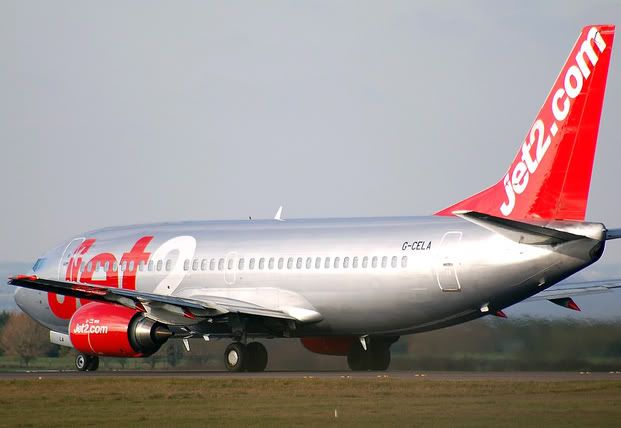
By: RingwaySam - 7th February 2006 at 21:27
The photo is deffinatly soft and needs a boost of USM. Heres my efforts –
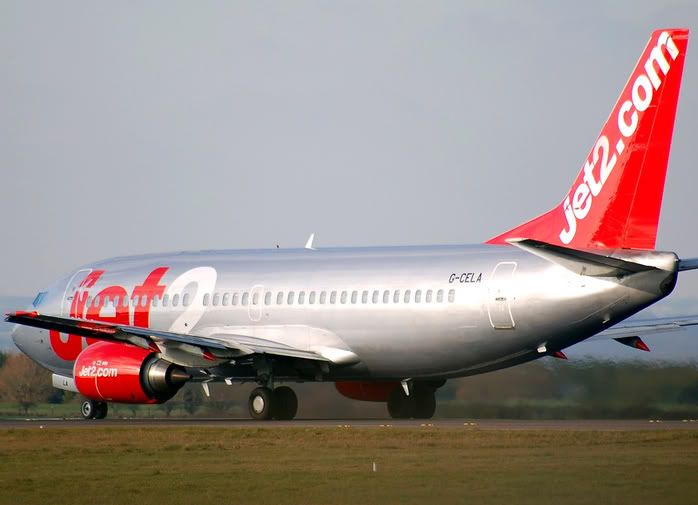
Hope that helps… 🙂
By: Raymy - 4th February 2006 at 03:10
Xpboy
try looking at the link below, this might give you a help with the unsharp mask.
Raymy
By: xpboy - 3rd February 2006 at 08:35
thanks hallo criticism is fine,
thanks wannabe that does look better, i use photoshop cs2 can you tell me how exactly you did that?
i dont kinda understand the sharpening thing
cheers
jason
By: wannabe pilot - 3rd February 2006 at 07:33
It’s really hard to demonstrate whn I haven’t got he original to work on, but this is roughly what I’d do. Some of the details need to be sharpened, as does the plane in general (it looks as though it’s been oversharpened here, because of the small file size). A bit of playing with saturation, contrast and white balance brings me to this:

By: hallo84 - 3rd February 2006 at 03:30
I gave it a run through ps7 unsharp mask twice.
Maybe it’s not the focus that’s the problem. I don’t see what’s soft aside from the low resolution aspect…
Actuallyif you don’t mind my criticism the picture lack colour depth and contrast in the sky and the surroundings. It looks stuck in a grey smog…
By: hallo84 - 3rd February 2006 at 03:21
The focus is quite acceptable
Unless if they wanted the focus on the fuselage instead of the tail which you have focused on.
You can do a 50% unsharpmask in PhotoShop
I would also boost the contrast of the sky by masking the plane and the grass
This picture it self is quite low resolution so I can’t show you the difference.


 Sign In








 February 2, 2006 at 6:37 pm

