
By: MattGarner - 23rd May 2009 at 16:30
You’re welcome, Matt! Everything is indeed fine there. Was it set to something else?
Paul
Yeah it was set to Adobe RGB and something else. I did wonder the other week while things looked different in PS but once on the web it changed. So thanks :P. I just need to change something on the camera and then im all done in that aspect.
Just tried it out with the new colour settings and the new cropping style:
OLD:
NEW:
Extra;

By: PMN - 23rd May 2009 at 16:26
You’re welcome, Matt! Everything is indeed fine there. Was it set to something else?
Paul
By: MattGarner - 23rd May 2009 at 16:21
I won’t quote the post for it being long, but thank you very much for your help Paul. I went into my Photoshop and did the following.

Everything look fine there? I will also try out your techniques as well soon. Thanks everyone and thanks again Paul. 🙂
By: Bristol_Rob - 23rd May 2009 at 16:07
Very Nice Matt
And like Paul said once you cracked the advice he has given you, You will be well on the way to some even Better Shot’s.
Good Job
Rob
🙂
By: PMN - 23rd May 2009 at 15:51
Hi Matt,
You’re certainly getting there! The sharpness is good on all these, which is something people often have a lot of difficulty with.
There are a couple of things you can do to improve these through editing. Firstly, cropping a little closer and being careful what you crop to makes the image more balanced. In this one, there’s a lot of dead space around the frame that doesn’t really help focus your eye on the aircraft. You’ll probably notice the edits I’ve done are a little brighter and more colourful but I’ll explain that at the end!
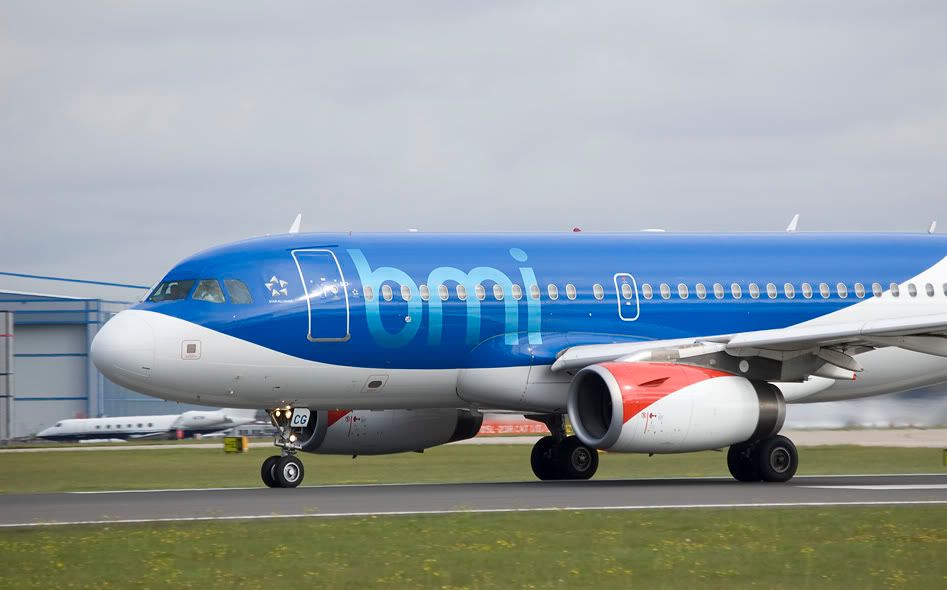
Cropping in a little closer and filling the frame brings out more detail and makes for a generally more appealing image. It is the aircraft you’re taking the photo of after all, so filling the frame with it works well.
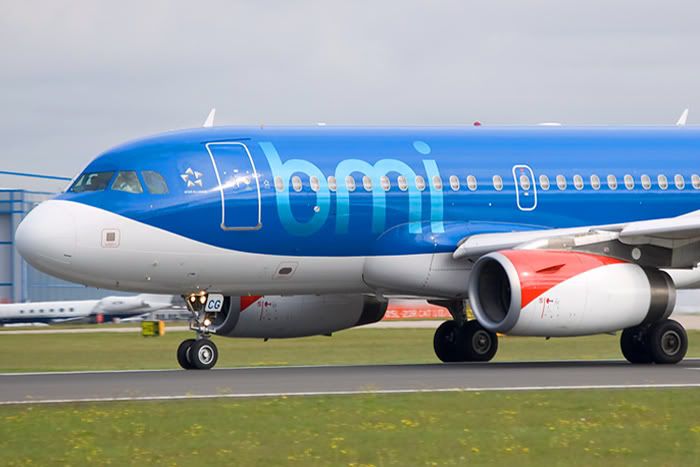
Similarly with this one, the aircraft is sitting in the lower bit of the frame and all that sky above isn’t really serving any purpose; it doesn’t direct your eye anywhere or really add anything to the shot.
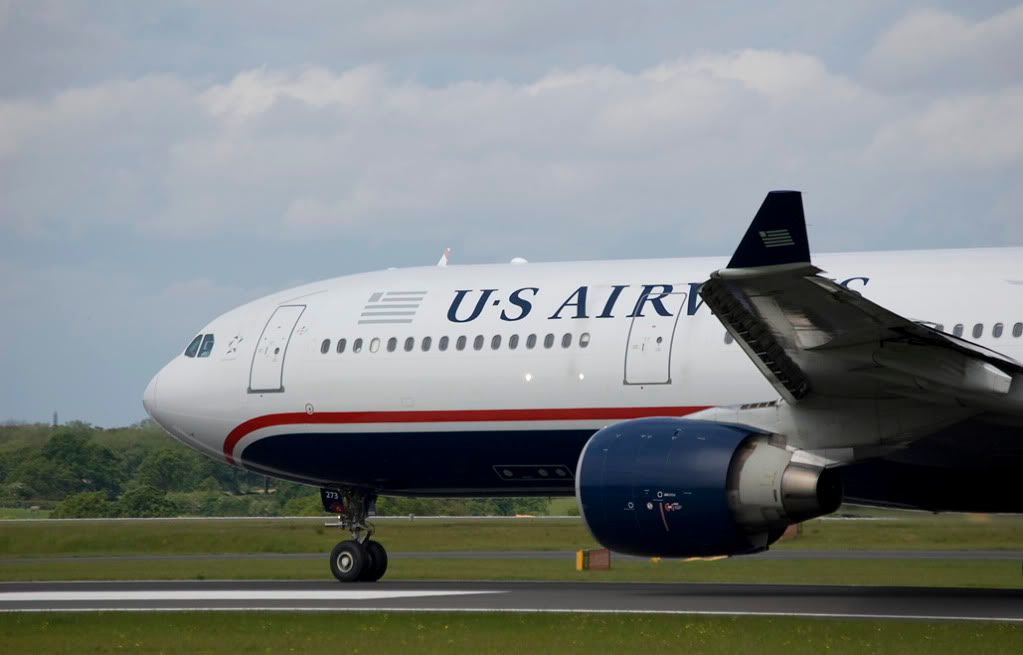
Again, cropping in makes the image more balanced and focussed. The natural points to crop to for angles like this are generally either the engines or the main landing gear. Most aircraft tend to look very nicely balanced when you crop on the front like that, and you can do such crops from a wide variety of angles. I also find that cropping using a standard 3:2 aspect ratio (the aspect ratio your camera naturally produces) works very well.
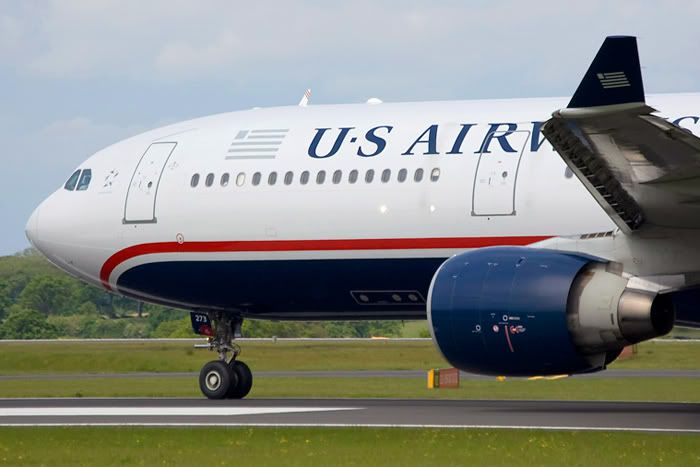
As you’re a MAN local, maybe try a few of these angles. Close crops of aircraft after they’ve rotated can look quite dramatic:
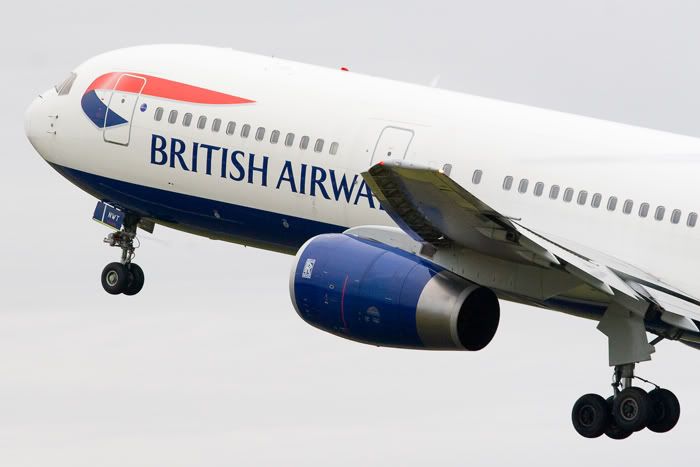
As can front end crops as they’re rotating:
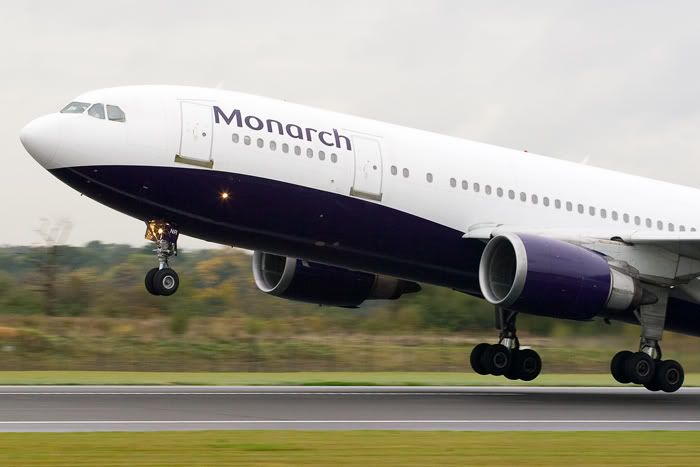
Just some ideas anyway! As far as colour and brightness goes, the posted versions lacked a little colour and contrast but there’s a minor problem you need to fix that isn‘t helping. At the moment your colour space (the colour settings that are embedded in the photo and affect how it looks when used in different ways) is set to Adobe RGB, which is wrong for internet use. You can see the difference here, the first shot is sRGB and looks exactly as it should, and the second is Adobe RGB (the setting you’re currently using).
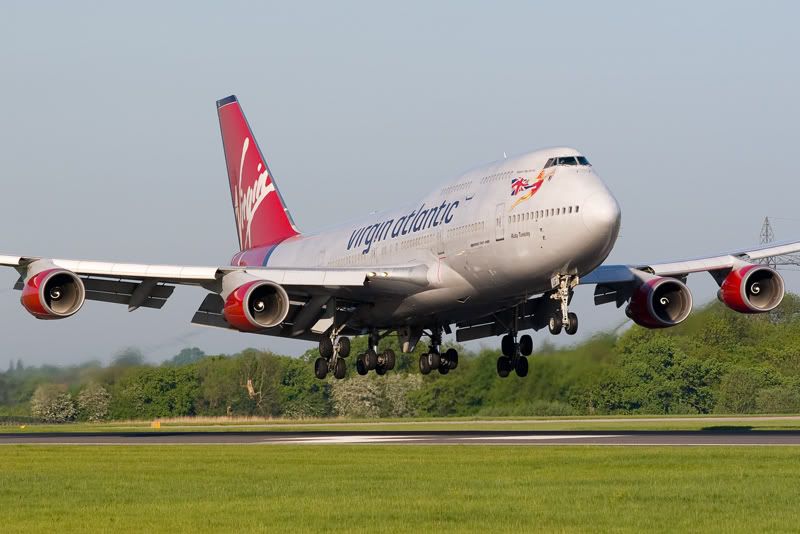
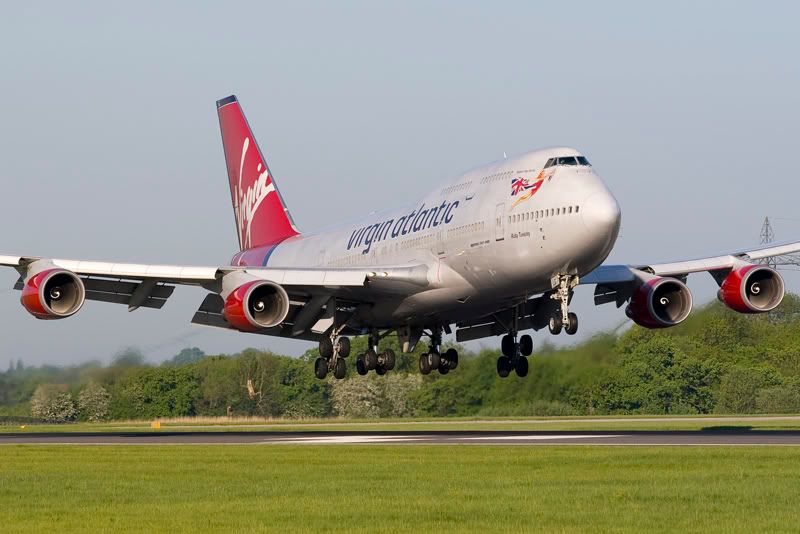
You can see the Adobe RGB image is quite under saturated and dull compared to the sRGB one but this is very easily fixed. In your camera menu somewhere there’ll be a setting to change the colour space, so if you can find that it needs to be set to sRGB. Photoshop also needs to be set to the appropriate colour space for internet use, which is in the same place on most versions of PS and should be found by hitting ’Edit’ on the top menu bar and going to ’Colour Settings’. The first box (labelled Settings) should say ‘North America Web/Internet’. The second box (labelled RGB) should say ‘sRGB IEC 61966-2.1’. Once you’ve set everything to sRGB your images will look exactly the same on the internet as they do on your computer screen.
Hope that’s of some use! This thread has set me up nicely for my trip to MAN tomorrow with LBARULES! 🙂
Paul
By: abutcher1985 - 23rd May 2009 at 14:42
Nice shots.
What is the corcorde shaped thing in front of the second shot of the VS 744? It might not even be an aircraft… but it looks very concord-y
Andrew


 Sign In








 May 23, 2009 at 1:13 pm


