Hi all. I know this is not aviation related but as a regular user of this forum I know there must be some body who can help me here.
The attached pic has been scanned (no chance of finding original) and has been emailed to me. I hope to have the pic printed for some body for Christmas.
I would like to improve the quality of the pic such as sharpness and the colour / brightness before I have it printed.
I only have the basic software on picture and fax viewer. Any suggestions what I can do to make the pic look a bit better.

Thank you for any help.
Ben.

By: PMN - 27th December 2008 at 23:20
That’s good to hear, Ben. Glad it was OK! 🙂
Paul
By: benyboy - 26th December 2008 at 18:22
Just to say thank you.
The pic looked great when framed and went down well yesterday.
Ben
By: PMN - 16th December 2008 at 17:41
Thank you for your help PMN.
I have just printed that out on some normal paper to see what it looks like.
Its quite light but maybe it will look different on photographic paper.Thanks again.
Ben
No worries at all. You should find the contrast is much better on photo paper so the darks will appear more pronounced.
Feel free to drop me a PM if I can help further. 🙂
Paul
By: benyboy - 16th December 2008 at 17:24
Thank you for your help PMN.
I have just printed that out on some normal paper to see what it looks like.
Its quite light but maybe it will look different on photographic paper.
Thanks again.
Ben
By: PMN - 16th December 2008 at 17:13
Here’s my quick attempt in CS3 with slightly more bold colours and a bit of sharpening:
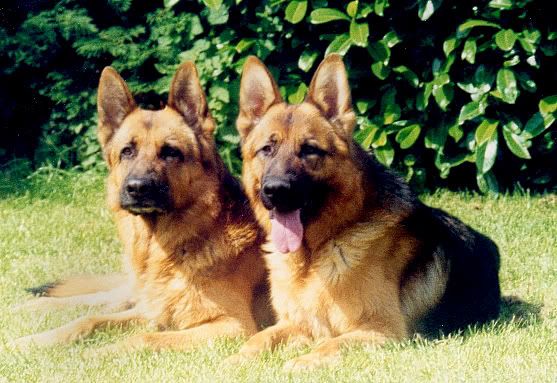
Unfortunately because of the small size this isn’t going to print out very big at all, not even 6×4. It’s a shame you don’t have a higher resolution scan!
Paul
By: benyboy - 16th December 2008 at 16:30
Hi PMN. I think this must be the original size because I put on here from photobucket with out any alterations.
I have just had a go with picasa 3. I just dont know what I am doing.
I just want the picture to be sharper with darker warmer colour.
By: PMN - 16th December 2008 at 16:03
Another excellent free program, just for the record, is GIMP. It takes a little working out but it really is an impressively powerful program.
It’s actually a little difficult to say how it could be improved looking at such a small image. Is the version of the photo you have the same size as that or is it bigger?
Paul
By: benyboy - 16th December 2008 at 16:02
Thank you.
I will give that a try now.
Ben
By: Moggy C - 16th December 2008 at 15:56
Download (free) Google Picasa 3
All the basic editing tools are there for you to use. A lot simpler (if less powerful) than Photoshop.
I’d guess one click on the ‘I’m feeling lucky’ button which does a good job of improving most images, then a sharpen if necessary. All changes are reversible, though it would be better to work on a copy for safety.
Moggy


 Sign In








 December 16, 2008 at 3:47 pm